Writing Beyond English
Thirteen keyboard layouts and twelve languages, with Chinese, Japanese and Korean typed on the device itself.
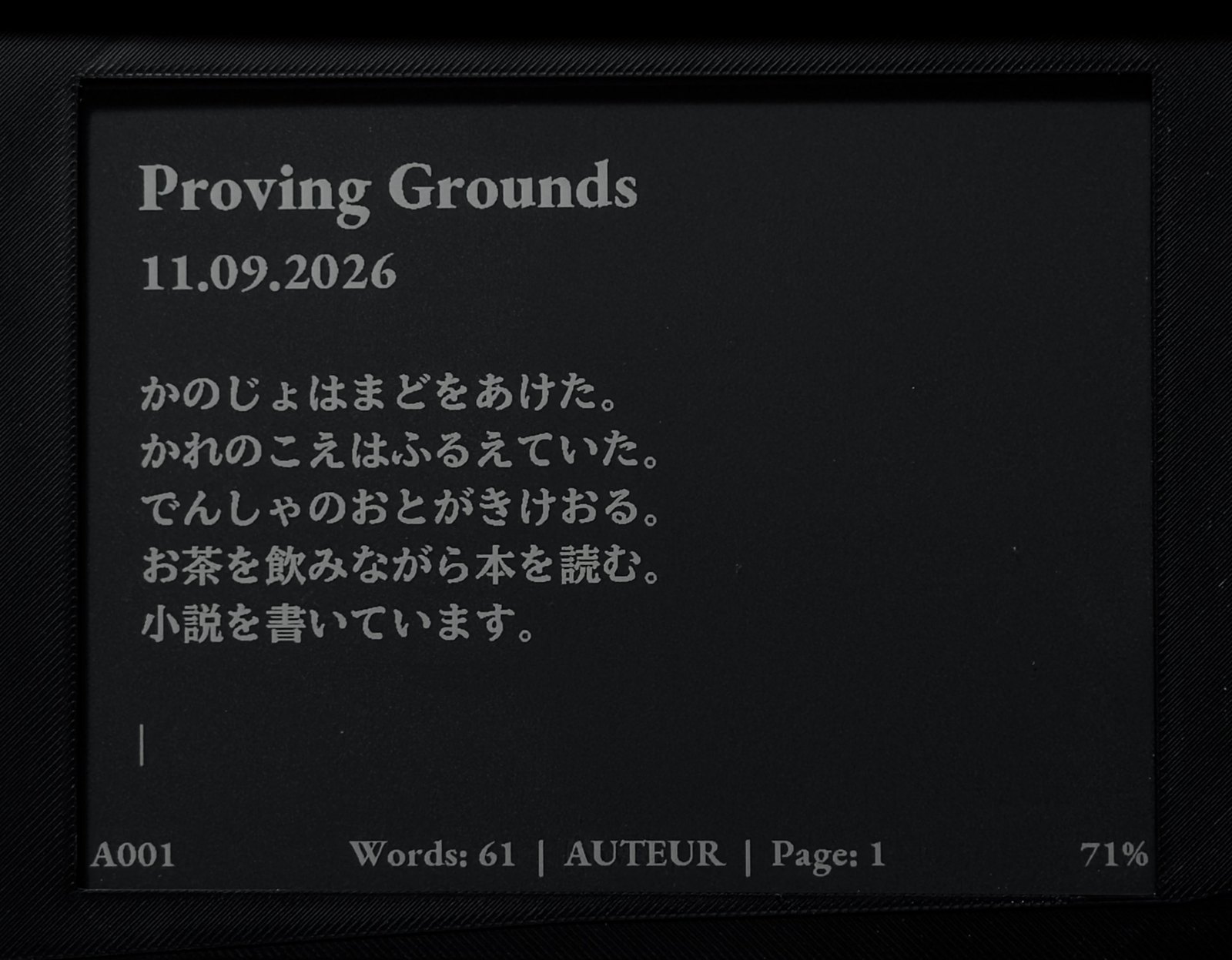
AUTEUR writes in twelve languages.
A writing instrument that only types English is an English instrument. Writers don't all draft in English, and a screenplay doesn't stop being a screenplay because the dialogue is in Polish or Japanese. So language support went into AUTEUR from the keyboard up: the layouts, the accents, the typefaces, the syntax marks and, for Chinese, Japanese and Korean, the input methods and their dictionaries.
Thirteen layouts, one keystroke apart
Press Ctrl+K and AUTEUR lists its layouts:
- English (US), English (US International) and English (UK)
- Spanish, French (AZERTY), German (QWERTZ) and Italian
- Portuguese (Brazil) and Polish (Programmer's)
- Russian
- Korean (Dubeolsik), Japanese (Romaji) and Chinese (Pinyin)
Up and Down move through the list, Enter switches and Esc leaves things as they were. A new AUTEUR starts on English (US), and it remembers the layout you pick when you switch it off. Dutch writers will find their accents on US International, which moves no keys at all.
Accents the way you learned them
Each layout follows its language's standard Windows layout, so your hands already know where things are. Accent keys work the way they do on any desktop: press ´ then e for é. Space types the accent itself, and pressing it twice gives you two. AltGr, the key to the right of the spacebar, reaches a key's third character. That's how Polish works: AltGr and a gives you ą.
The keycaps carry US legends. The Languages page draws every layout on AUTEUR's keyboard, key by key, so you can see where each character sits before you touch one.
Markdown and Fountain in every layout
This is the part a generic keyboard driver gets wrong. Some standard layouts simply have no place for a mark that Markdown or Fountain depends on. Russian is the clearest case, because its layout gives the punctuation keys to Cyrillic letters. On AUTEUR, any mark a layout leaves out sits on AltGr, and in Russian, AltGr types whatever is printed on the keycap. Every mark, from # to [[notes]], can be typed in every layout.
Chinese and Japanese have punctuation of their own, so those two layouts watch where you are on the line. At the start of a line every key types its plain mark, which means # and > still open Markdown and Fountain lines. After the first Chinese or Japanese character, the comma and full stop become 、 and 。 without you asking.
Shortcuts are handled the same careful way. Letter shortcuts follow the layout, so Ctrl+Z is wherever that layout types Z. Punctuation shortcuts never move, and in Russian every shortcut stays on its usual key.
Every letter on the page
Typing a letter is half the job. The page still has to draw it. All three of AUTEUR's typefaces carry the accented letters of every supported language, and Cyrillic for Russian, in every size.
- Español
- á é í ó ú ü ñ ¡ ¿
- Français
- à â ç é è ê ë î ï ô ù û
- Deutsch
- ä ö ü ß
- Italiano
- à è é ì ò ù
- Português
- á â ã à ç é ê í ó ô õ ú
- Nederlands
- é è ë ï
- Polski
- ą ć ę ł ń ó ś ź ż
- Русский
- а б в г д ё ж щ ы я
- 한국어
- 한글로 씁니다
- 日本語
- 学校に行く
- 中文
- 今天天气很好
The fussy part was line spacing. An accent rises above a capital, and a descender drops below the line, so the É on one line can reach up into the tail of a g on the line above. Touching marks make type look cheap, so I set one rule: they never touch. Where a size had room, the lines moved apart. In the tightest size, the capital accents are drawn a little flatter instead.
Chinese, Japanese and Korean
These three were the hard part. A European language adds a few dozen letters. Chinese and Japanese each need thousands of characters, and thousands of characters do not fit on sixty-four keys. You type the sound and the machine works out the writing. That takes a typeface with thousands of glyphs and a dictionary that knows which words tend to follow which. On a computer, all of that is the operating system's job. AUTEUR has no operating system, so it went into the instrument itself: no SD card, no download, nothing looked up online.
Korean
Korean types on Dubeolsik, the standard two-set layout, with consonants under the left hand and vowels under the right. Each syllable assembles as you type and there is nothing to choose. Backspace takes back one letter at a time while a syllable is forming.
Korean has 11,172 possible syllables, and most writing uses a small share of them. AUTEUR keeps the 2,350 most common as finished glyphs and builds the other 8,822 as they are needed, from 229 pieces cut to match the typeface. Every syllable draws.
Japanese
Type romaji and it turns into kana as you go. Press Space and the sentence converts to kanji, split into phrases. The arrow keys move between phrases, Shift with an arrow resizes one, and Space again offers the next reading. Keep typing and the conversion is kept, so the rhythm is type, Space, type.
The dictionary holds the 200,000 most used entries, which by its own frequency figures cover 99.96% of everyday use, and a table of how words follow one another. On the page there are 6,992 characters: all of JIS X 0208, the full Jōyō list and the kanji permitted in given names, so a character called 鷗 can be in your script.
Chinese
Type Pinyin without tones. After every key the choices appear along the foot of the page, with the best reading of the whole phrase first, and Space takes it. An apostrophe splits syllables, so xi'an is 西安 and xian is not. Initials alone find a word: zg offers 中国.
The dictionary carries 60,000 words and a million word pairs, so each word is judged against the one before it. The page has 6,882 Simplified characters: all of GB 2312, and every one of the 3,500 first-tier characters of the 2013 General Standard.
It learns your words
No dictionary knows the name of your protagonist. So in Chinese and Japanese, AUTEUR learns from the writer. Build a name once, character by character, and it is the first choice from then on, in the middle of a sentence as well as alone. A manuscript repeats its names hundreds of times, and you only assemble each one once.
The same goes for corrections. If AUTEUR picks the wrong word and you fix it, the fix sticks the first time, and it is remembered after the word it followed, so it doesn't push the usual reading aside everywhere else. AUTEUR keeps up to 2,000 of these for each language and lets the ones you stopped using go first. They are saved on the device, they survive switching off, and they never leave it.
How it's built
Three large languages had to go into a writing instrument without getting between the writer and the page. A few decisions made that work.
- One typeface per language. Each is drawn for e-paper at every size AUTEUR offers, and shared across all three font families.
- The full standards, kept. We tried a smaller character set and put the rest back the same day. The second level of each standard holds words that dialogue can't do without: 頷く, 呟く and 囁く in Japanese, 嗯, 嗨 and 噢 in Chinese.
- The writer fills the gaps. No dictionary holds every rare word, and it doesn't need to. The words that matter to your story are the ones you teach it.
- No blank characters. Every word in each dictionary is checked against the typeface, so AUTEUR never offers a character it can't draw.
The Languages page has the details for each language, and the keys for all of it.
English is still where a new AUTEUR starts. It just isn't where it stops.
¡Adelante!